


The SSO ID Rajasthan Login portal is an online facility launched by the Government of Rajasthan to help citizens, businesses, and government employees access various government services through a single digital identity. Instead of creating separate login credentials for every department, users can use one Rajasthan Single Sign-On (SSO) ID to access multiple connected services.
In this article, you will learn how to log in to the Rajasthan SSO portal, create a new SSO ID, recover a forgotten ID or password, and access important government services.
Rajasthan SSO ID Login: Overview
| Details | Information |
|---|---|
| Portal Name | Rajasthan Single Sign-On (SSO) |
| Main Purpose | Access multiple government services online |
| State | Rajasthan |
| Beneficiaries | Citizens, businesses, and government employees |
| Registration Fee | Free |
| Login Credentials | SSO ID and password |
| Official Website | https://sso.rajasthan.gov.in/ |
Important: Always use the official Rajasthan government website for registration and login.
What Is SSO ID Rajasthan?
Rajasthan SSO ID is a unique digital identity that allows eligible users to access multiple government applications through a single account. The system is designed to simplify online services, reduce repeated registration, and make government facilities more accessible.
With an SSO ID, users can access eligible services related to recruitment, employment, public utilities, departmental applications, and other online facilities.
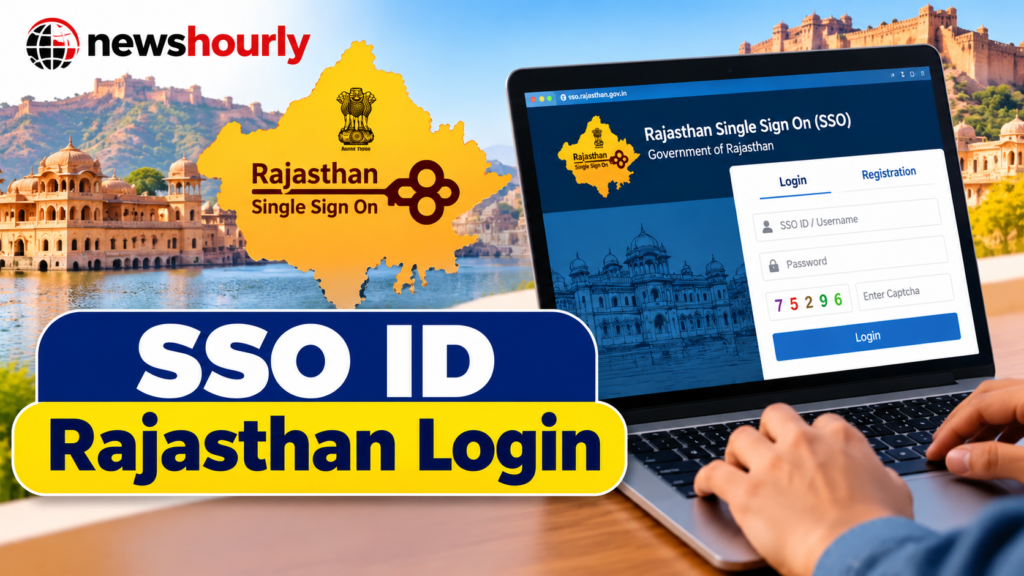
The portal is particularly useful for Rajasthan residents who regularly apply for government jobs, access public services, or complete online administrative procedures.
How to Complete SSO ID Rajasthan Login
If you already have an SSO ID, follow these steps to access your account.
- Open the official Rajasthan SSO website: https://sso.rajasthan.gov.in/
- Select the Login option.
- Enter your registered SSO ID or username.
- Enter your password.
- Complete the captcha displayed on the screen.
- Click the Login button.
- After successful authentication, open your dashboard and select the government service you need.
Keep your login credentials secure and ensure that you are using the official website before entering personal information.
How to Register for a New Rajasthan SSO ID
People who do not already have an SSO ID can register online. The registration method depends on whether the applicant is a citizen, business user, or government employee.
1. Rajasthan SSO Registration for Citizens
Eligible citizens can generally register using their Jan Aadhaar details or a Google account, depending on the options available on the portal.
Follow these steps:
- Visit https://sso.rajasthan.gov.in/
- Click on Registration.
- Select the Citizen category.
- Choose an available registration method, such as Jan Aadhaar or Google.
- Complete the required identity verification.
- Enter the requested personal information.
- Create your username and password.
- Submit the registration form and follow any additional instructions.
Once registration is completed successfully, keep your SSO ID and password safe for future use.
2. Rajasthan SSO Registration for Businesses
Businesses, firms, and other eligible organisations can register through the business registration option.
The general process is:
- Visit the official SSO portal.
- Select Registration and choose the Udyog or business category.
- Enter the required Business Registration Number (BRN) or another accepted business identifier.
- Provide the requested business details.
- Create your login credentials.
- Submit the form and complete the verification process.
The documents and information required may vary depending on the business category.
3. Rajasthan SSO Registration for Government Employees
Rajasthan state government employees can register using their applicable employee credentials, generally including their SIPF details.
Steps to follow:
- Open the official Rajasthan SSO website.
- Select Registration.
- Choose the Government Employee option.
- Enter the required SIPF or employee details.
- Complete the verification process.
- Create the required login credentials.
- Submit the form and follow the portal’s instructions.
Employees should ensure that their details match official service records.
Main Services Available Through Rajasthan SSO ID
The Rajasthan SSO platform connects users with various government applications. The services available to each person depend on their eligibility and the applications linked to their account.
Some important service categories include:
1. Government Job Applications
Candidates can use SSO-based authentication to access supported recruitment services. Certain recruitment processes require additional steps, such as One-Time Registration (OTR), eligibility verification, and application submission.
Applicants should always check the relevant recruitment notification for deadlines, qualifications, examination details, and fees.
2. e-Mitra Services
Eligible users can access supported e-Mitra services for online public-service applications and other administrative facilities. The exact services and charges depend on the specific transaction.
3. Government Employee Services
State government employees can access supported departmental applications and employee-related services through their authorised accounts.
4. Online Government Applications
The portal provides a common entry point to multiple connected government applications. This reduces the need to remember separate login credentials for every supported service.
5. Other Citizen Services
Depending on the available integrations, citizens may be able to access applications related to public administration, welfare services, certificates, and other government facilities.
How to Recover a Forgotten Rajasthan SSO ID
If you have forgotten your SSO ID, you can use the recovery options provided by the portal.
Method 1: Recover through SMS
- Open the messaging application on your registered mobile phone.
- Type
RJ SSO. - Send the message to 9223166166.
- Follow the instructions or check the reply for your SSO ID.
The SMS recovery method may have eligibility requirements, including prior use of the account.
Method 2: Recover through the website
- Visit the official Rajasthan SSO portal.
- Select the Forgot SSO ID or equivalent recovery option.
- Enter the requested information.
- Complete any required verification.
- Follow the instructions to retrieve your account details.
If neither method works, contact the official SSO helpdesk.
How to Reset a Forgotten SSO Password
If you remember your SSO ID but have forgotten your password, follow these steps:
- Open the official Rajasthan SSO website.
- Select Forgot Password.
- Enter your SSO ID or other requested details.
- Choose an available verification method.
- Complete the OTP or other identity verification.
- Follow the instructions to reset your password.
- Return to the login page and sign in with your updated credentials.
Never share your password or OTP with another person. If you receive a temporary password, follow the portal’s instructions for securing your account.
Benefits of Rajasthan SSO ID
The Rajasthan SSO portal offers several benefits to users.
- Single digital identity: One account can provide access to multiple connected applications.
- Convenience: Users do not need to maintain separate credentials for every supported service.
- Online accessibility: Many supported services can be accessed without visiting a government office.
- Simplified access: A central dashboard makes it easier to find linked applications.
- Support for recruitment processes: SSO authentication can simplify access to eligible government recruitment services.
- Time savings: Online access can reduce paperwork and unnecessary visits for services that support digital processing.
Actual benefits depend on the particular application and the user’s eligibility.
Common Rajasthan SSO Login Problems and Solutions
Users may occasionally experience difficulties while logging in. Here are some common issues and possible solutions.
Incorrect SSO ID or password: Check for typing errors, extra spaces, and incorrect capitalisation where applicable. Use the password recovery option if necessary.
Captcha not accepted: Refresh the captcha if the option is available, then enter the newly displayed characters carefully.
OTP not received: Check your mobile network, confirm that you are using the registered contact details, and try again after a short interval.
Website not loading: Check your internet connection, refresh the page, or try again later if the portal is temporarily unavailable.
Account temporarily locked: Avoid repeated incorrect login attempts. Use the password recovery process or contact the helpdesk if the problem continues.
Service not visible on the dashboard: Confirm that the application is linked to your account and that you meet its eligibility requirements.
Rajasthan SSO Helpdesk and Contact Information
If you experience technical problems with registration, login, or account recovery, use the official support channels.
- Official portal: https://sso.rajasthan.gov.in/
- SSO helpdesk telephone: 0141-2925554, 0141-2925555
- Technical support email: helpdesk.sso@rajasthan.gov.in
Contact details and support arrangements can change, so verify them on the official portal if you cannot reach the helpdesk.
Conclusion
The SSO ID Rajasthan Login system makes it easier for citizens, businesses, and government employees to access connected government applications using a single digital identity. Whether you want to register for a new account, apply for an eligible government service, access recruitment facilities, or recover a forgotten password, the official Rajasthan SSO portal is the appropriate starting point.
For secure access, always visit https://sso.rajasthan.gov.in/ and follow the latest instructions provided on the website.
(FAQs) About SSO ID Rajasthan Login
1. What is SSO ID Rajasthan?
SSO ID Rajasthan is a digital identity provided through the Rajasthan Single Sign-On portal that allows users to access multiple government services using one account.
2. What is the official website for Rajasthan SSO Login?
The official website for Rajasthan SSO Login is https://sso.rajasthan.gov.in/.
3. How can I log in to my Rajasthan SSO ID?
Visit the official portal, enter your SSO ID and password, complete the captcha, and click the Login button.
4. How can I register for a new Rajasthan SSO ID?
Open the official SSO portal, click Registration, select the appropriate category, such as Citizen, and complete the registration process using an available method.
Also Read: SporterraDaily.com: A Complete Guide to Sports News, Updates, and Daily Sports Coverage
5. Is Rajasthan SSO ID registration free?
Yes, creating a Rajasthan SSO ID is free. However, certain services accessed through the portal may require payment of prescribed fees.
6. How can I recover my forgotten Rajasthan SSO ID?
Use the Forgot SSO ID option on the official portal. You can also check whether the official SMS recovery facility is available for your account.
7. How can I reset my Rajasthan SSO password?
Visit the official SSO website, select Forgot Password, provide the requested details, complete verification, and follow the instructions to set a new password.
8. Can I use Rajasthan SSO ID for government job applications?
Yes, supported Rajasthan recruitment services use SSO authentication. Applicants may need to complete additional requirements, such as One-Time Registration (OTR), depending on the recruitment process.
9. Who can register for Rajasthan SSO ID?
Eligible Rajasthan citizens, government employees, and business users can register using the relevant registration category and required credentials.
10. Can I access Rajasthan SSO on my mobile phone?
Yes, you can access the Rajasthan SSO portal through a compatible mobile browser with an internet connection.
11. What should I do if my Rajasthan SSO Login is not working?
Check your SSO ID, password, captcha, and internet connection. If the issue continues, use the account recovery options or contact the official helpdesk.
12. What is the Rajasthan SSO ID used for?
It provides access to supported government applications, including eligible recruitment services, e-Mitra facilities, employee services, and other connected online services.
13. Can I change my Rajasthan SSO ID password?
You can use the account settings or password recovery options available on the official portal to change or reset your password, subject to the portal’s requirements.
14. Is Rajasthan SSO ID mandatory for every government service?
No. Requirements vary by department and service. Some online services may require an SSO ID, while others may offer different access methods.
15. Is Rajasthan SSO ID safe to use?
Use the official government portal, protect your login credentials, and never share your password or OTP with unauthorised individuals.
